
Home » Agentic Era » The Enterprise AI Agent Checklist: Stop Adopting Tools Nobody Uses
The Enterprise AI Agent Checklist: Stop Adopting Tools Nobody Uses
Why Teams Stop Using New AI Chatbots
The first week after introducing an AI tool, everyone tries it. By the second week, no one does. Another abandoned tab joins the graveyard.
If the tool gets abandoned within a week, it was better not to start.
The biggest obstacle to any new tool is low adoption among team members. Even the best AI gets ignored when it sits outside the team’s daily workflow. When using it means doing extra work just to prepare data, people stop. And when it has no idea how your team actually operates, it gets dropped.
Considering a new AI tool for your team? Use this checklist to see whether the enterprise AI agent you have in mind actually meets the conditions for making a difference.
1. Understanding Business Data
Ask ChatGPT about the project Josh is managing this month. That answer lives inside your Jira, not on the internet.

General AI covers a lot of ground, but it does not know your company. To be more specific, your team’s knowledge lives in Slack threads, Notion pages, Gmail exchanges, and archived Jira tickets. An AI tool is only useful in practice when it can read across all of that and actually understand what it means.
2. Flexible Connection with Existing Tools
The costs of collecting and migrating data are often overlooked. And that cost does not happen once. Every time your systems or information structures change, it comes back.
No team is going to abandon Notion or Slack to switch to a new AI tool. Enterprise AI agents need to connect naturally with the tools already in use, not just pull data in. If the integration requires development resources or a complex setup, the rollout will stall. The real question is how much effort it takes to get the tool connected and keep it that way.
3. Built for Teams, Not Just Individuals
If you finish a task in ten minutes while your teammates are still working on it an hour later, that gap is the bottleneck.
Using AI on your own and deploying enterprise AI agents are different. The difference shows up in tasks like meeting note summaries, new hire onboarding, and customer inquiry responses — one automation, shared impact across the whole team.
Check whether agents built by individual team members can become shared team assets, managed and refined together in a common workspace.
4. Proper Data Security Control
Sales teams must access customer data while HR information remains restricted.
Security is the primary barrier to AI adoption in enterprises. Therefore, the challenge with enterprise AI agents is protecting sensitive data while keeping management simple.
Verify that the tool does not use your internal data to train its models. It should also respect your existing permission structures and carry them through to the outputs it generates.
5. Minimal Learning Curve
Difficult tools are only used by a few early adopters regardless of their quality.
Adoption success depends on whether everyone can use the tool from the first day. Check if the tool operates with natural language commands without complex settings. It should also live inside the tools your team already uses, so no one has to open yet another tab.
Quick Comparison
|
Category
|
General AI
|
Enterprise AI Agent
|
|---|---|---|
|
Data source
|
Web search
|
Internal documents and message
|
|
Integration
|
Operates independently, no cross-tool access
|
Flexible connection
|
|
Security
|
Data may be used for training
|
Enterprise security with no training
|
|
Collaboration
|
Primarily for individual use
|
Supports team workspaces
|
Is Your Team Actually Ready?
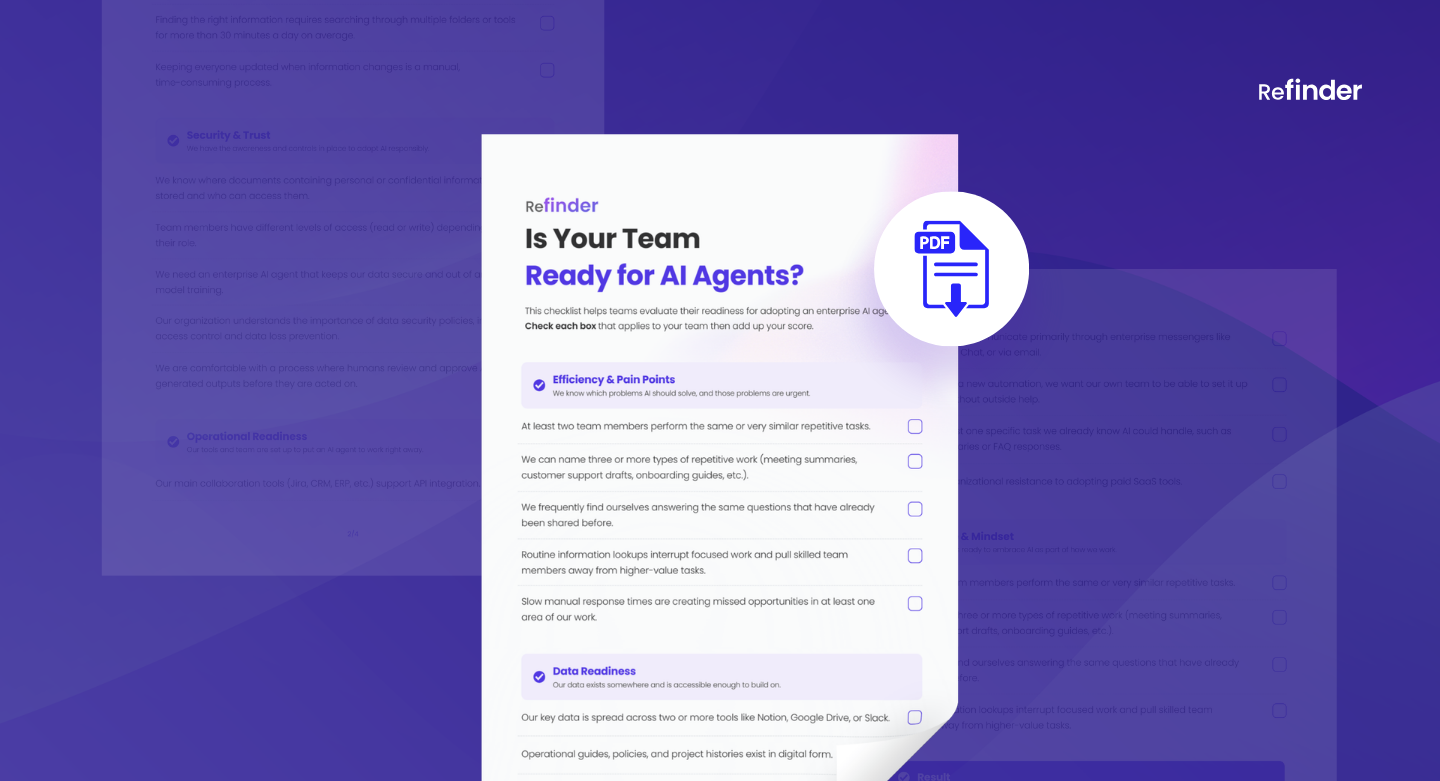
Most abandoned enterprise AI agents trace back to skipping at least one of these five criteria. But meeting the tool’s requirements is only half of it. The other half is whether your team’s environment is actually ready for AI. That means looking at your workflows, how your data is organized, which tools you use, and how security is handled.
Use our checklist to find out where your team stands before making that call.
The checklist covers five areas: workflows, data, tools, security, and team culture. It tells you exactly where your team stands and what to address before moving forward.
When a Team Plan Becomes Necessary?
Identifying the Transition Point
Evaluate the appropriateness of your tools through individual accounts first. Then, look for specific signs to transition to a team infrastructure.
- The first sign is the need to share. When you want your teammates to use and manage the same agents, individual accounts stop making sense.
- Volume also plays a critical role. When the team starts hitting the limits of what a single account can handle, a team plan stops being optional.
If your team is hitting those signs, Refinder is built for exactly this transition. One workspace, shared agents, and no extra tabs.
FAQ
Is a separate system replacement required?
- No. Refinder works on the Refinder web app or existing messenger platforms such as Slack and Google Chat. You can use the AI agent while keeping your current systems.
Does the setup process involve complex steps?
- No. Anyone can build an agent and link tools without coding after creating an account.
Is my data secure?
- Team data linked to Refinder is never used for training AI models.
Can it be deployed via on-premise or self-hosting?
- Self-hosting in your own cloud environment and on-premises deployment are both available. Contact us to discuss the details.
Can I search for the latest data in real time?
- Yes. The agent searches for information from linked tools in real time. It generates answers based on current data at the time of each question.
Which roles and industries are best suited for this tool?
- Refinder is useful for any organization that needs quick and accurate decisions based on large amounts of internal data. It is helpful for the following roles and industries.
- Teams: HR, Sales, Marketing, Engineering, CS, etc.
- Industries: Legal, Real Estate, Travel Agency, Researcher, etc.
Adopt the Right Enterprise AI Agent for Your Team
There is no reason to add another tool your team will stop using. If you are considering an enterprise AI agent, see whether Refinder actually fits the way your team works.
Like this post? Share with others!