
[Release note] Refinder AI v1.8.0 Update
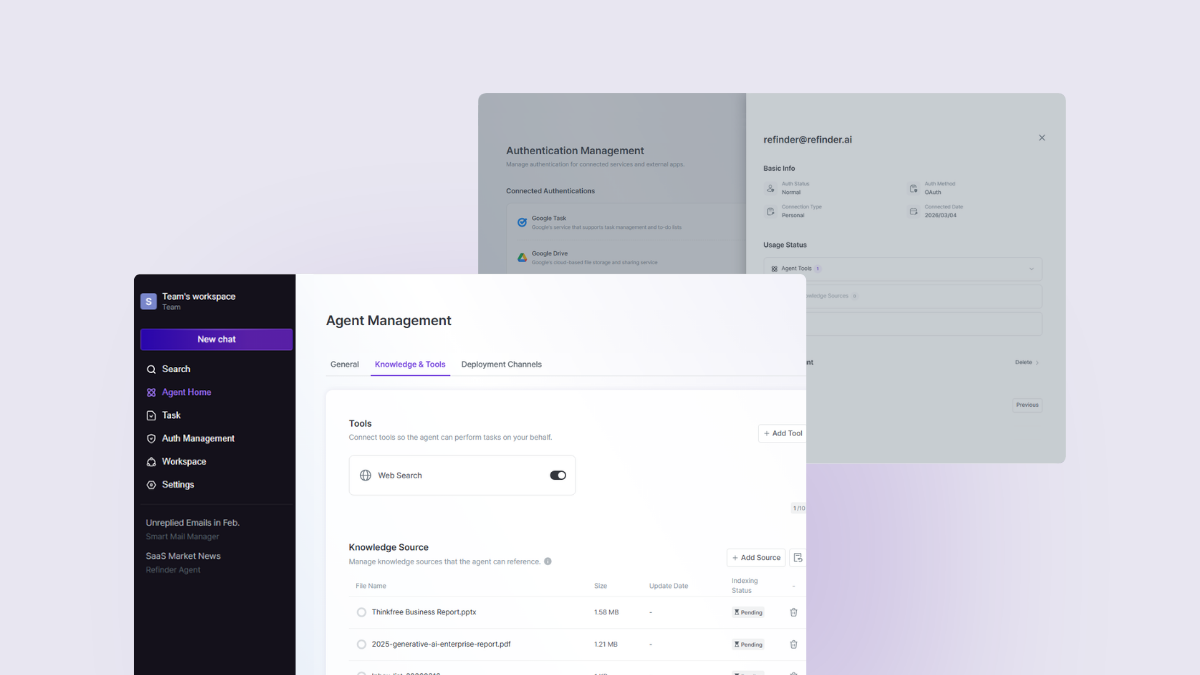
With Refinder v1.8.0, custom agent knowledge bases and workflow automation tasks are introduced. This update delivers a more advanced AI environment and expanded automation, with improved usability.
Enhanced AI Customization: Knowledge Base
The knowledge base feature allows agents to reference reliable data when generating responses. You can easily add dedicated reference materials within an agent to obtain more accurate and contextually relevant answers.
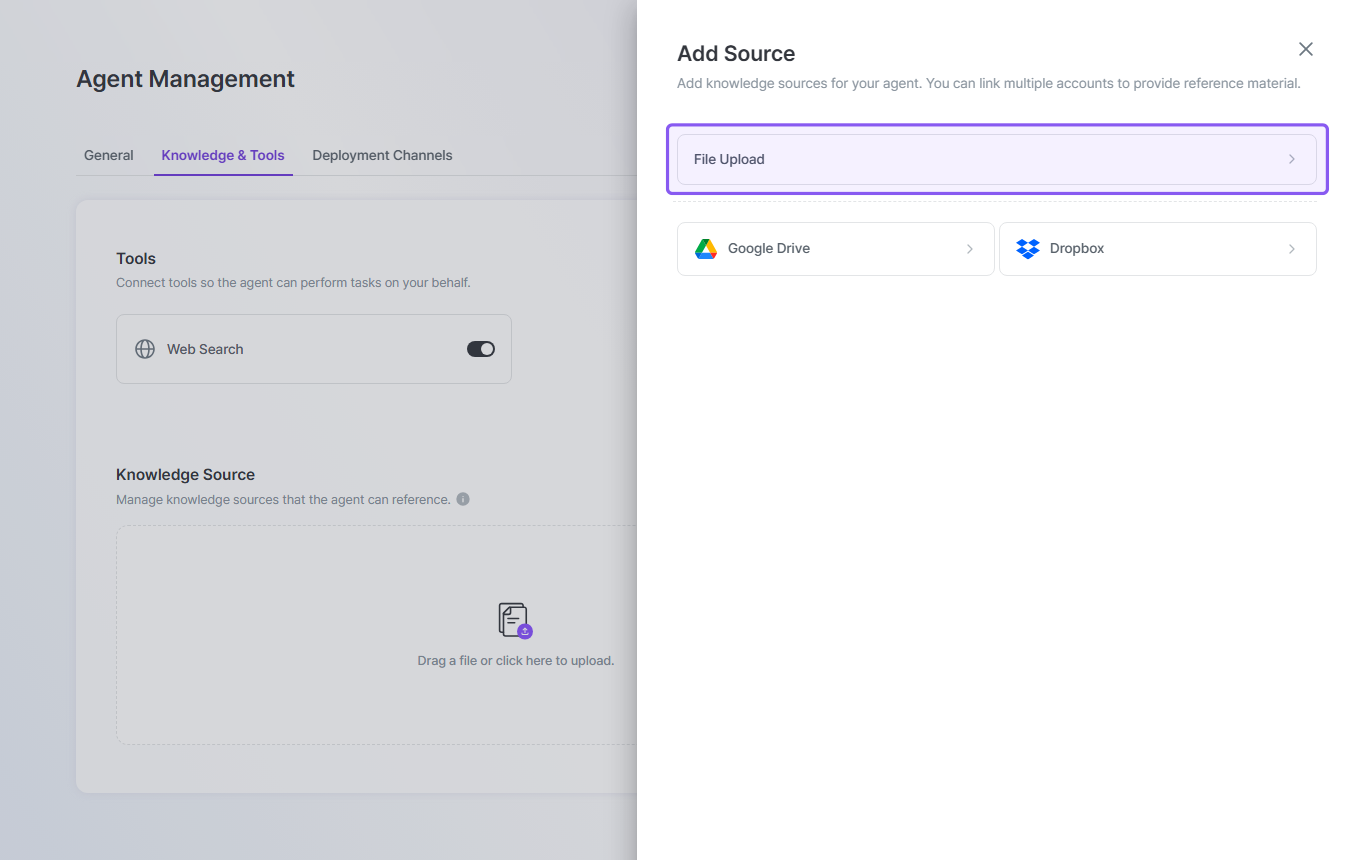
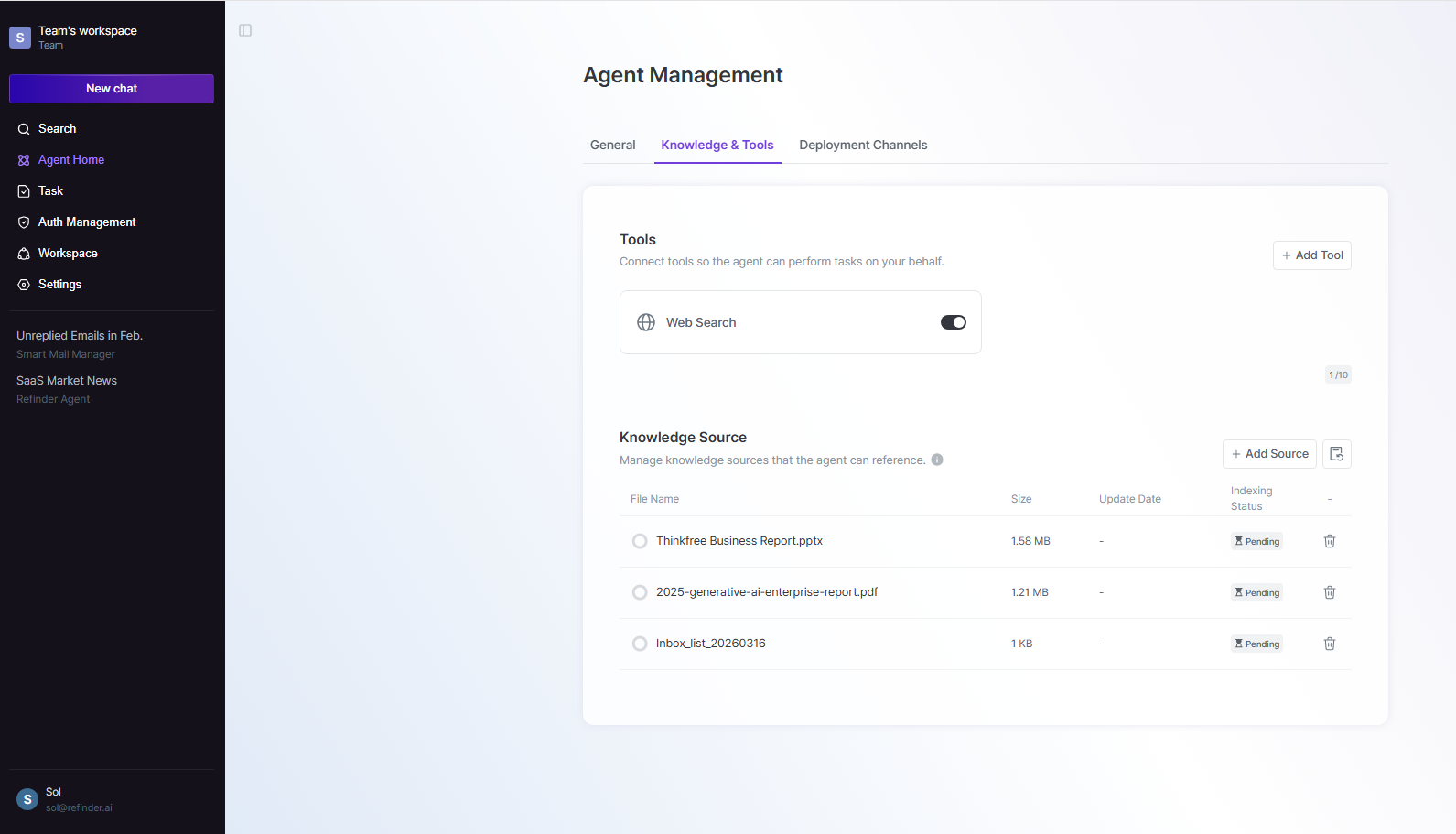
Support for Diverse File Formats
- You can register a wide range of formats as Knowledge Bases, including documents, presentations, spreadsheets and text/markup.
- This includes Google Workspace formats such as Docs, Slides, Sheets, and Drawing.
Capacity and Permission Management
- Depending on your current plan, the number of knowledge base files and the maximum file size vary by plan.
- Registered Knowledge Bases inherit the same permissions as the respective agent and are managed securely.
Workflow Automation: Tasks (Beta)
You can configure specific actions to run automatically based on particular situations or schedules. (e.g., “Summarize my inbox status every day at 9 AM”) Create or modify tasks using natural language, without complex setup.
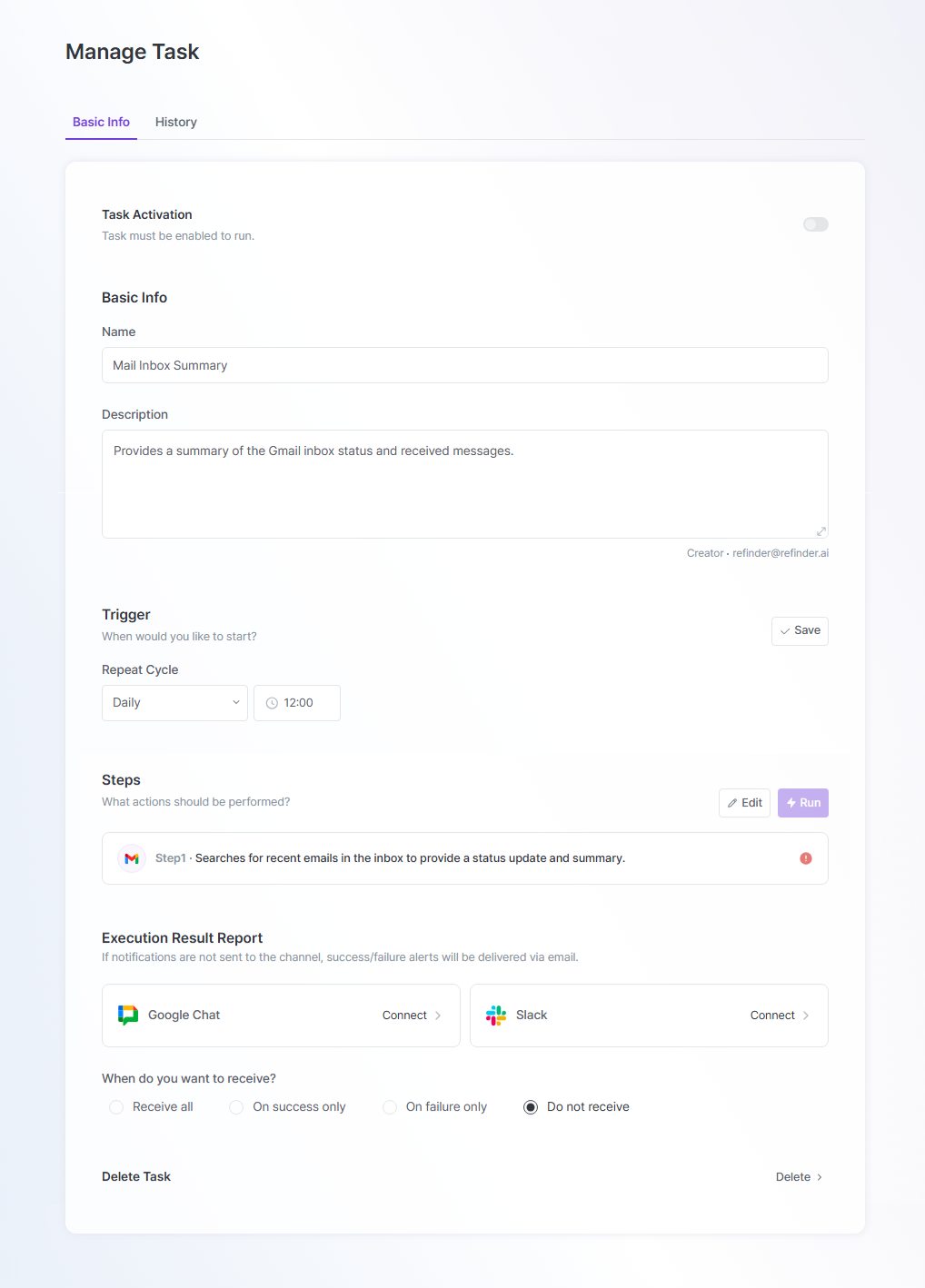
Execution Options (Manual/Scheduled)
- Manual: Executes the designated action immediately with a button click.
- Scheduled: Automatically runs the specified action according to a set cycle. (15 or 30 minutes, hourly/daily/weekly/monthly)
Execution Result Report Notifications
- Receive task execution reports via DM from the @Refinder app on Google Chat or Slack.
Integrated Authentication Management
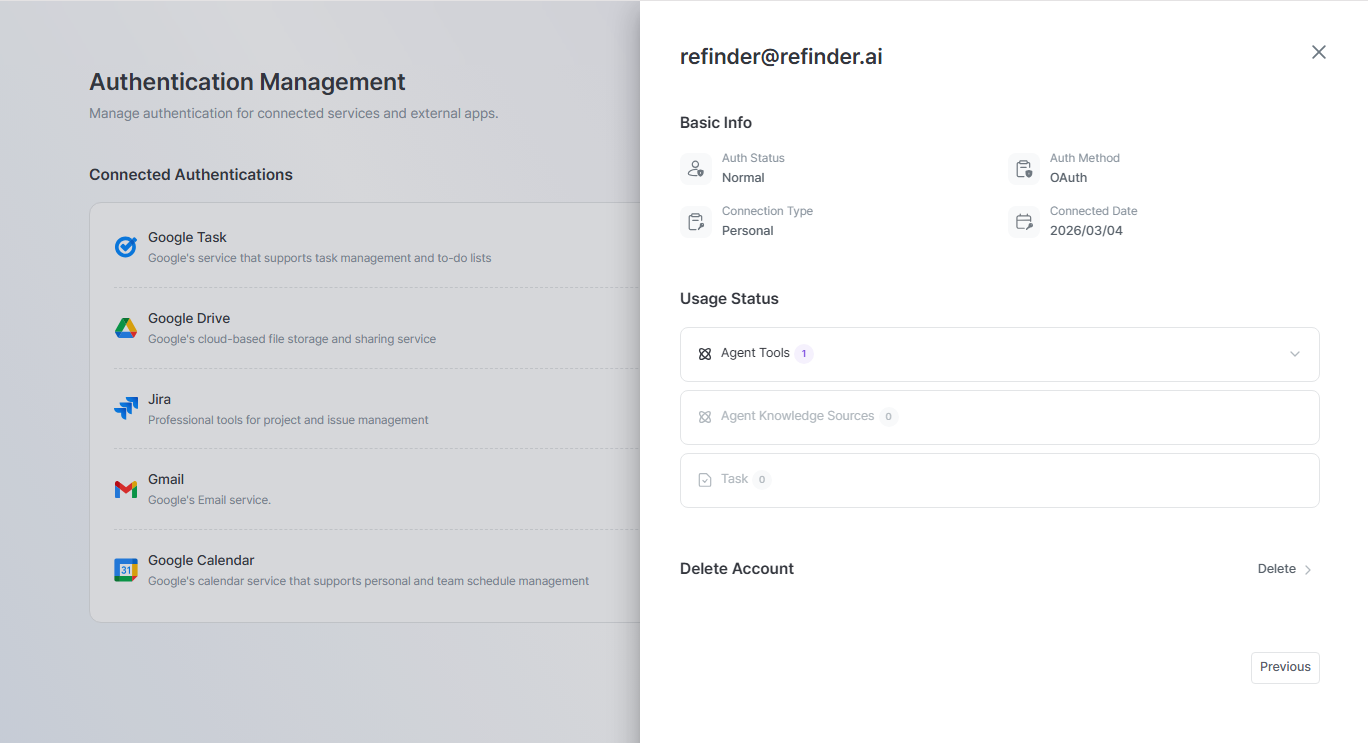
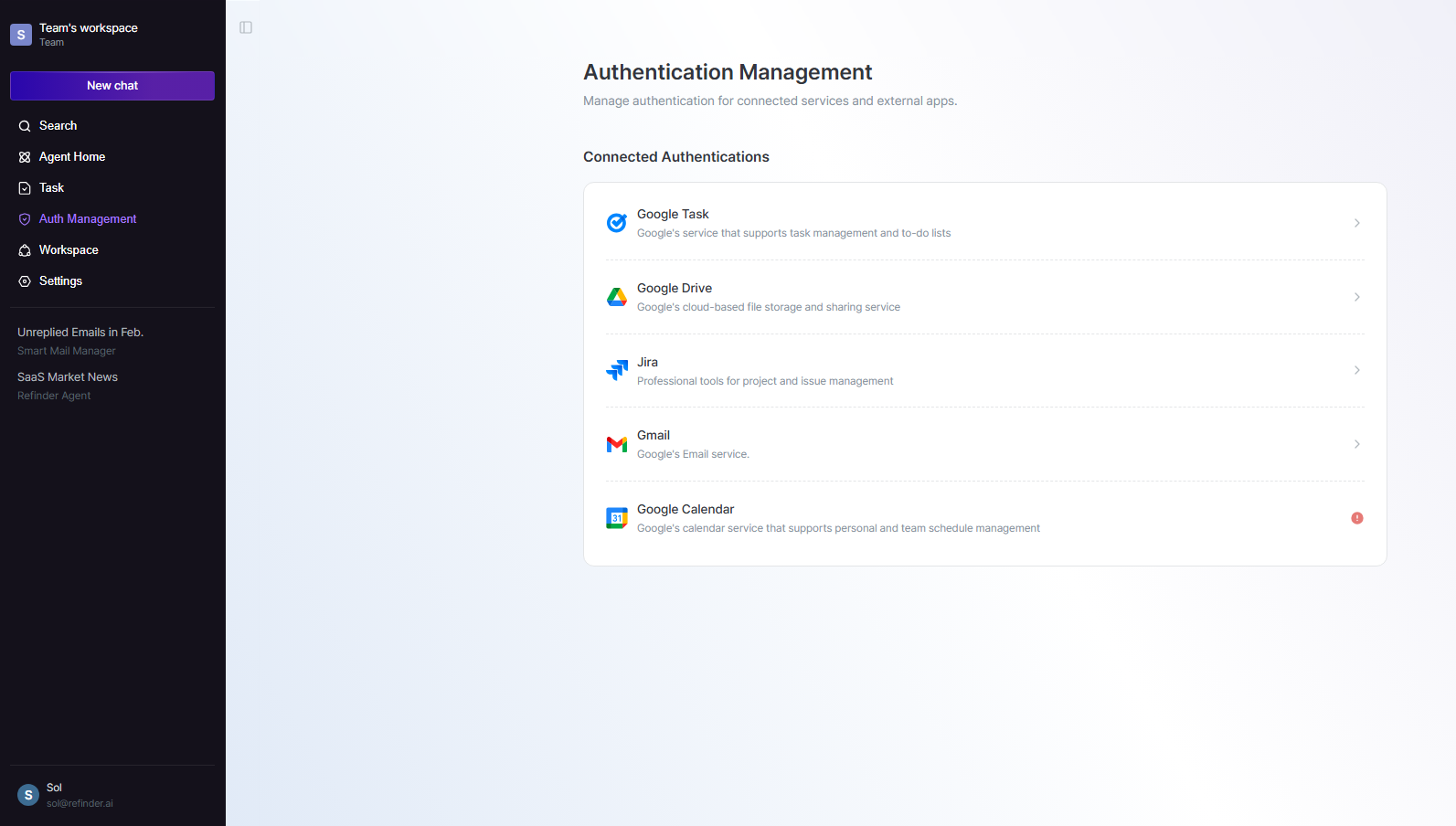
Authentication, previously managed per app or agent tool, is now centralized for easier use. With a single authentication, you can utilize Refinder in a wider variety of ways.
Reuse of Authentication Information
- External service accounts that have been authenticated once can be easily retrieved and reused across all features including agents, Tasks and search.
Separate Authentication Management Menu
- A dedicated menu has been added to manage authenticated accounts collectively.
- You can view various authentication details like social logins, API keys, WebHook URLs and server accounts in one place to track usage status. Additionally, you can disconnect authentications linked to multiple features all at once.
Resource Management: Credit System
In line with the addition of various new features, resource management is now more intuitive. As Knowledge Base and Task features are newly introduced, the existing message-based deduction system is now unified under a broader credit system.
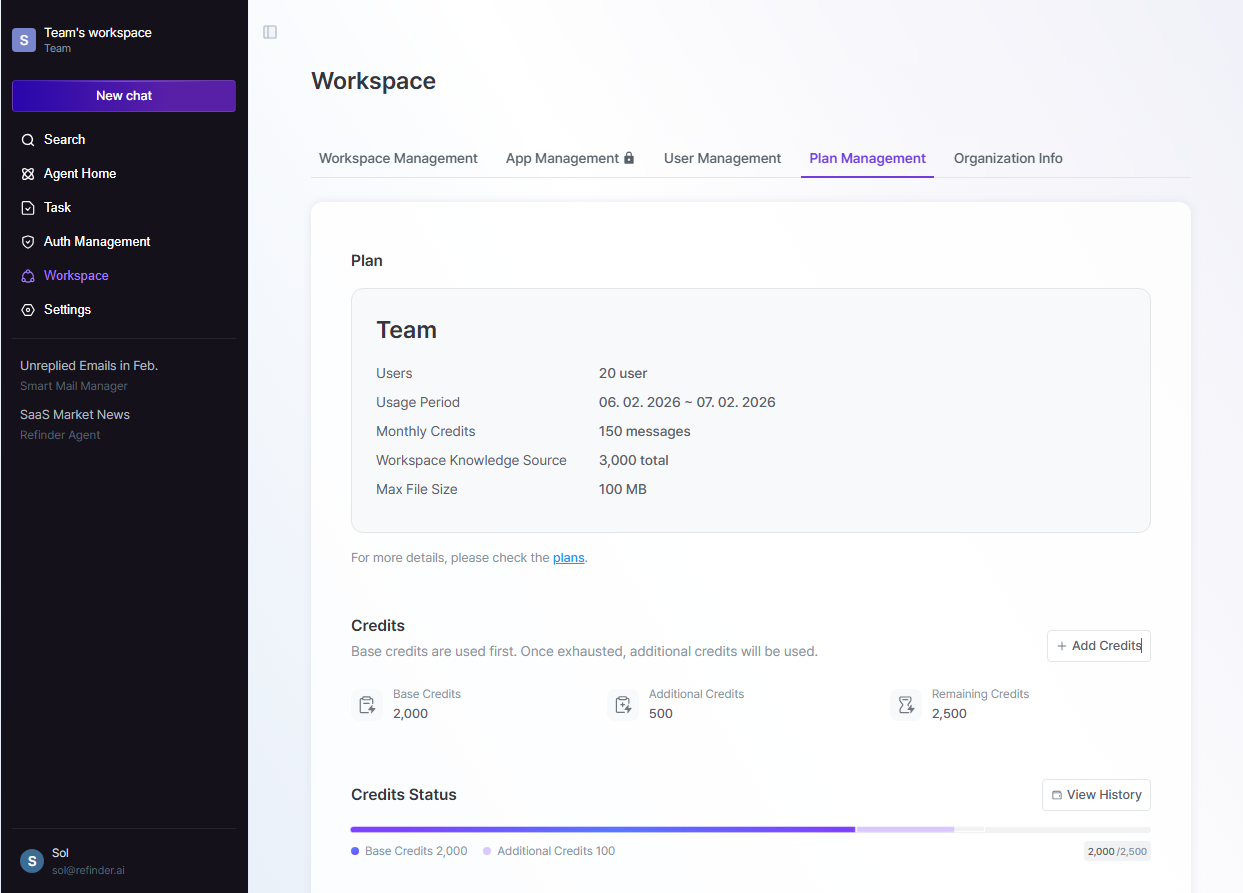
Real-Time Credit Usage
- You can intuitively check your current credit usage at any time under the [Workspace Menu > Plan Management] tab.
ℹ️ This information was accurate as of the date of publication. Please check out the latest product update notes for any updates or changes.